About Weight Lab
Weight Lab is a family owned health tracking app that allows for family and friends to look at each others progress. Although users could see the profiles of their friends and family. We wanted to create a way for friends and family to connect and message each other to share their goals and accomplishments.
Goals to Achieve
Working out while staying committed can be a very difficult and frustrating task. Most people struggle around the third week, and they fall off of their initial goals. Weight Lab hoped to change their features to help motivate users and keep them on track with their goals.
With the existing application there was a need to increase engagement among users after the three-week mark. To solve this problem we wanted to incorporate a messaging feature to allow users to send goals and challenges to their friends and family.
Design Process
For this process i began by doing some secondary research and finding information on what features have been known to increase engagement among users in fitness apps. I also used this time to compare competitor examples to see how their designs were similar or different from each other.
From my initial research i found that gamification was one of the most common tools used to increase engagement. It made sense as adding game elements to a fitness app could increase user motivation and push them to keep going with their activities. From this process I was able to think of ideas to add to the existing application and begin sketching out solutions.
App Map
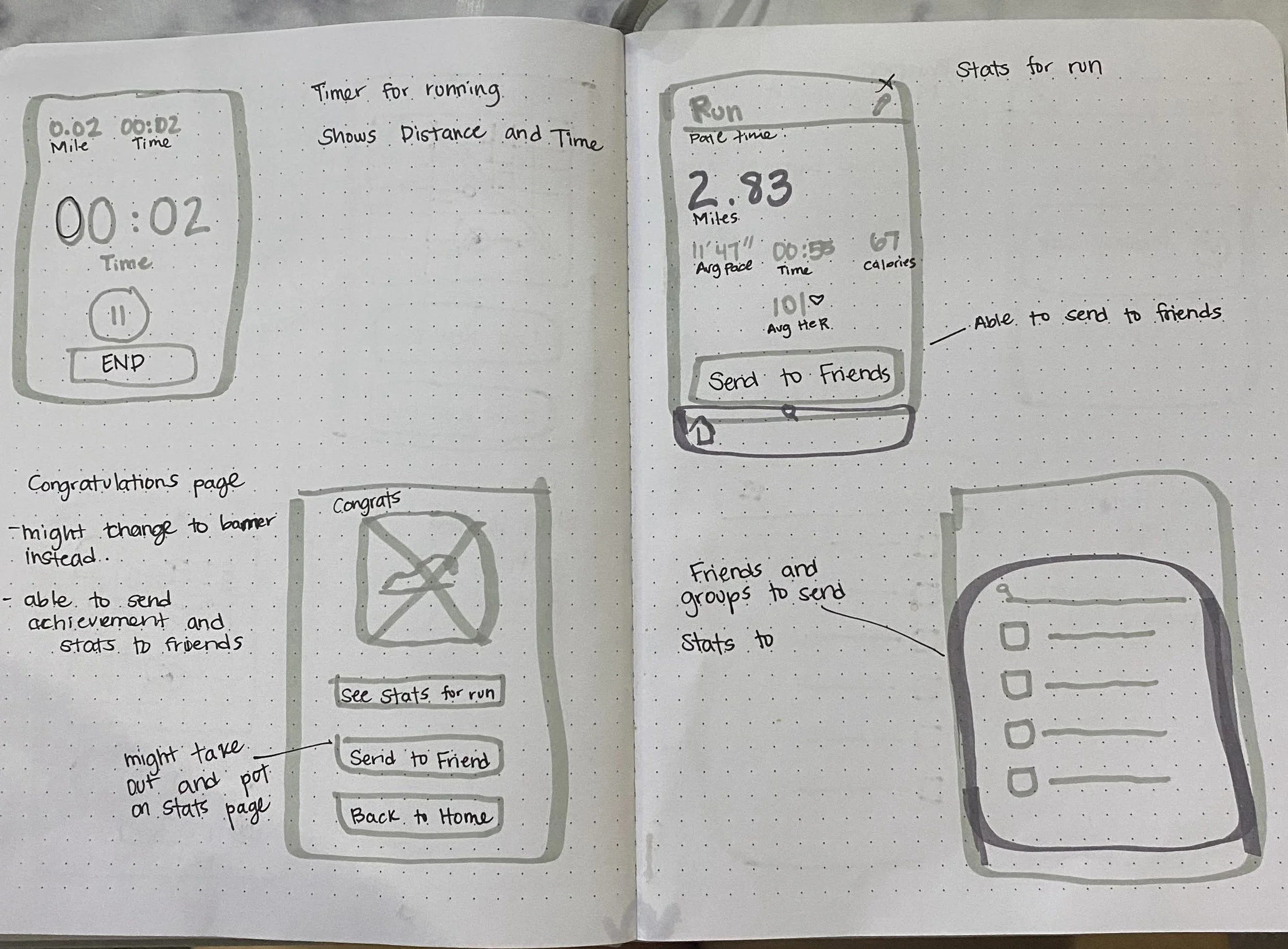
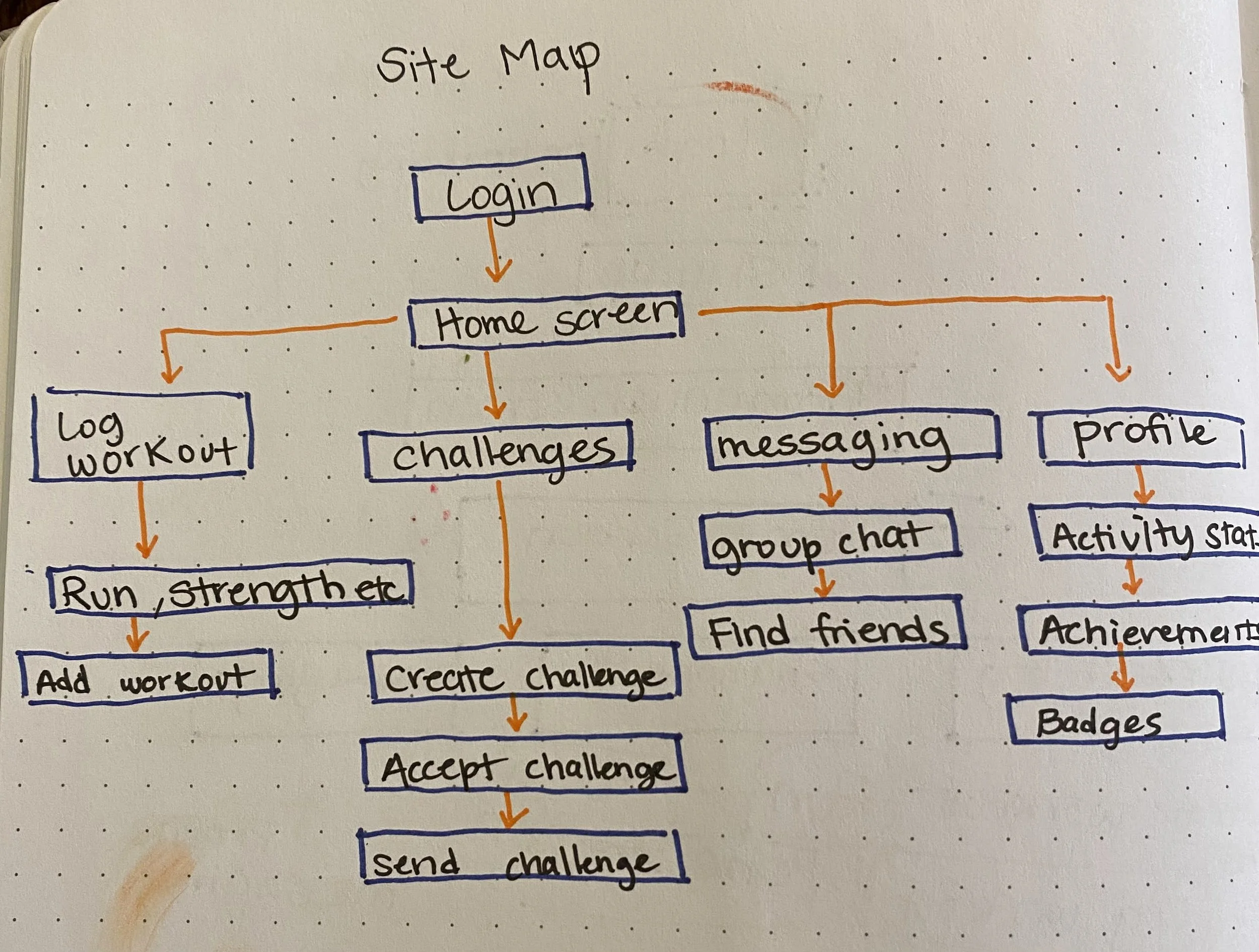
After sketching i created an app map of the frame work of how the app would work. Also creating a couple user flows of possible routes user could take through the app. This allowed me to be able to get my thoughts together with creating the wireframes and how every piece of the puzzle would fit together.
Wire-framing
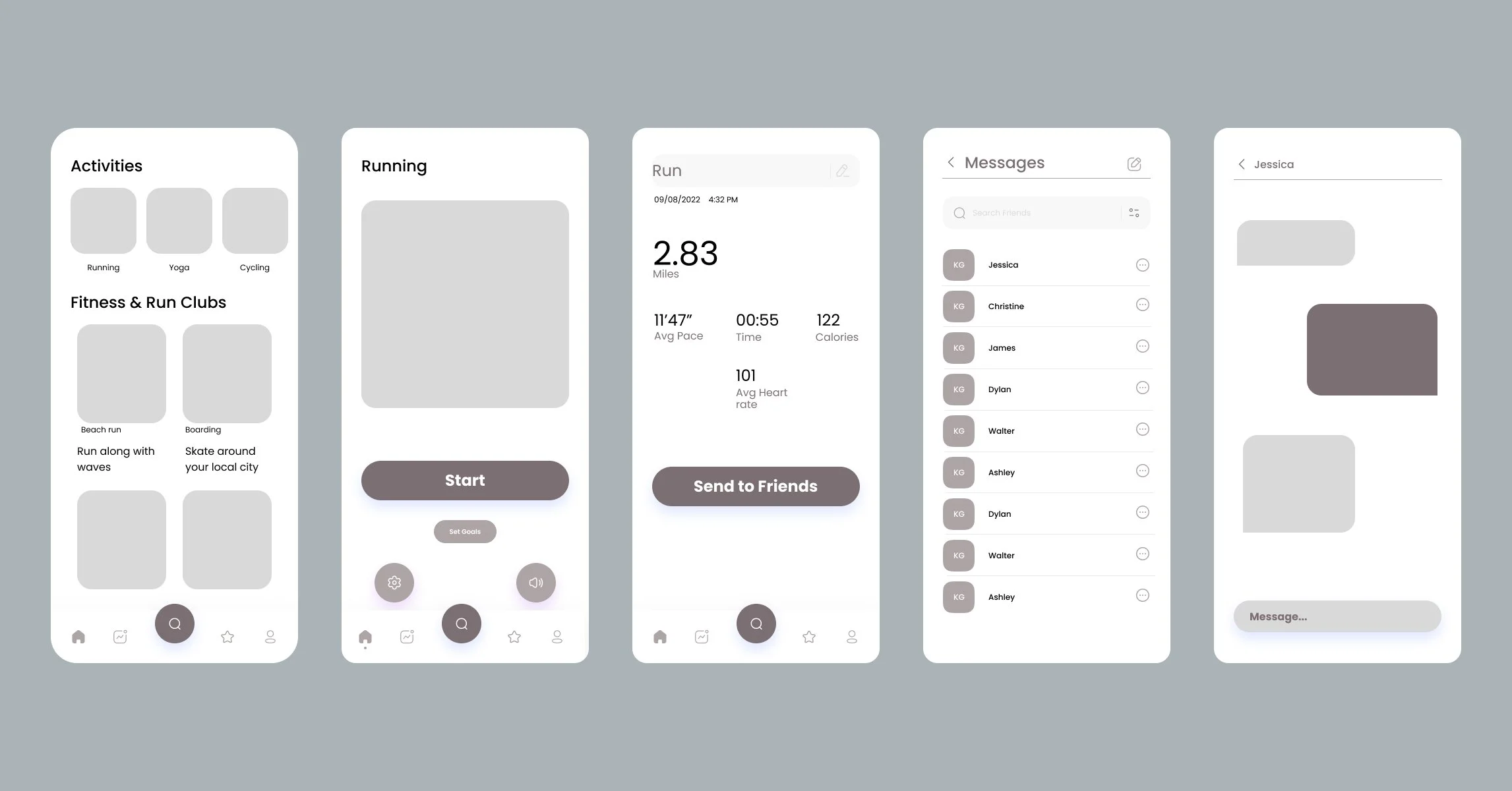
Using all the information I gathered from my research, the app map, user flow, and sketches I was able to create the wireframe for my initial application. Creating this wireframe i wanted to focus my attention on how the user would be able to send any stats or results to their friends through the app.
Using the wireframe I used guerrilla usability testing at my local gym to try and figure out what users thought about the initial wireframe i had created.
Main Concerns
- Did users understand how the app works?
- What patterns are similar across users ?
- Where does the user get stuck ?
Style Guide
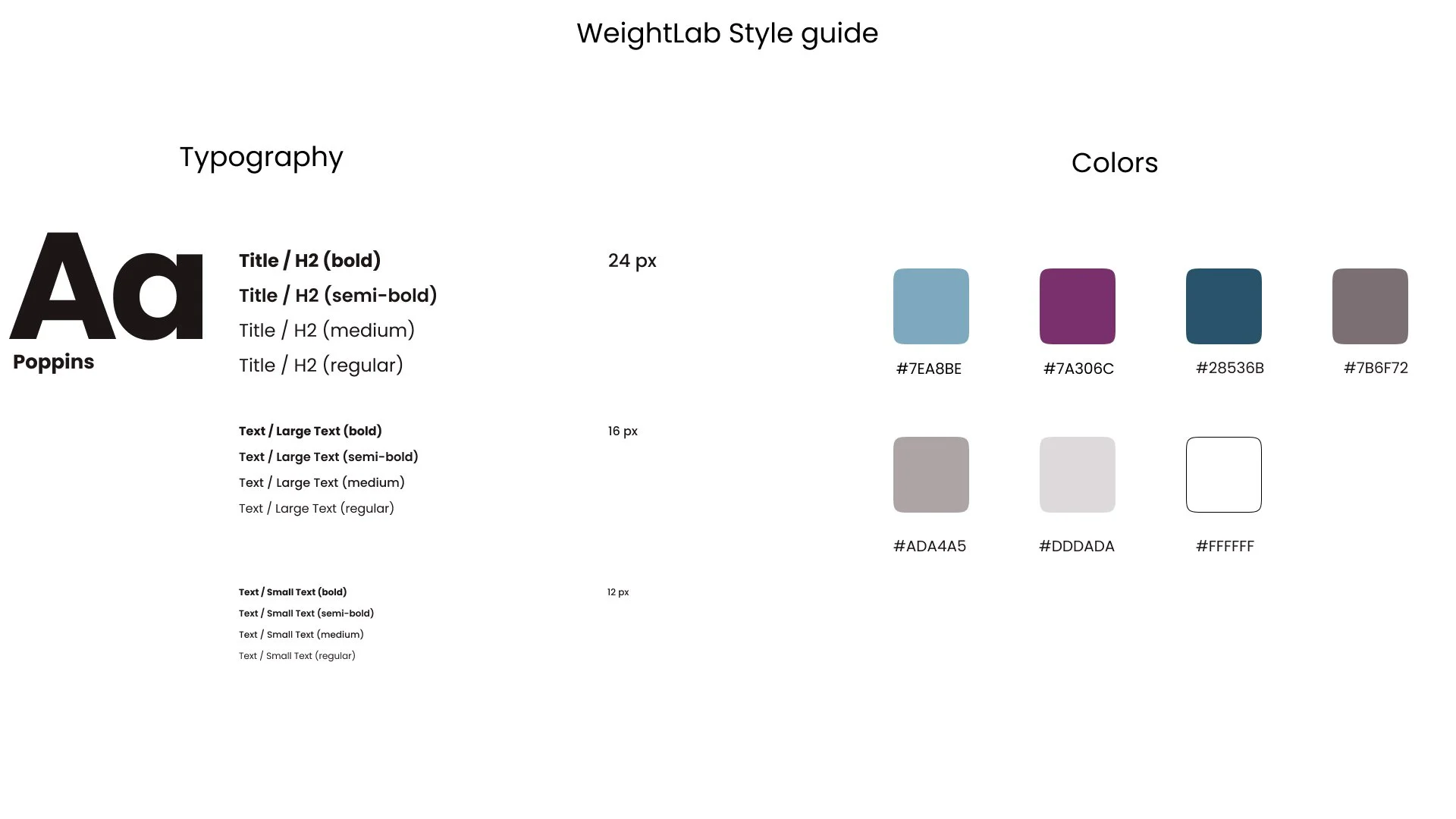
Using a UI Kit i was able to use to create a simple style guide for my application. The style guide really helped when creating the Hi-Fidelity design, allowing to stay organized and consistent throughout my Design. I chose to keep the same font but i changed the colors slightly with the blue and the purple. I chose these colors because i wanted a design that would help the user stay focused.
Final Designs
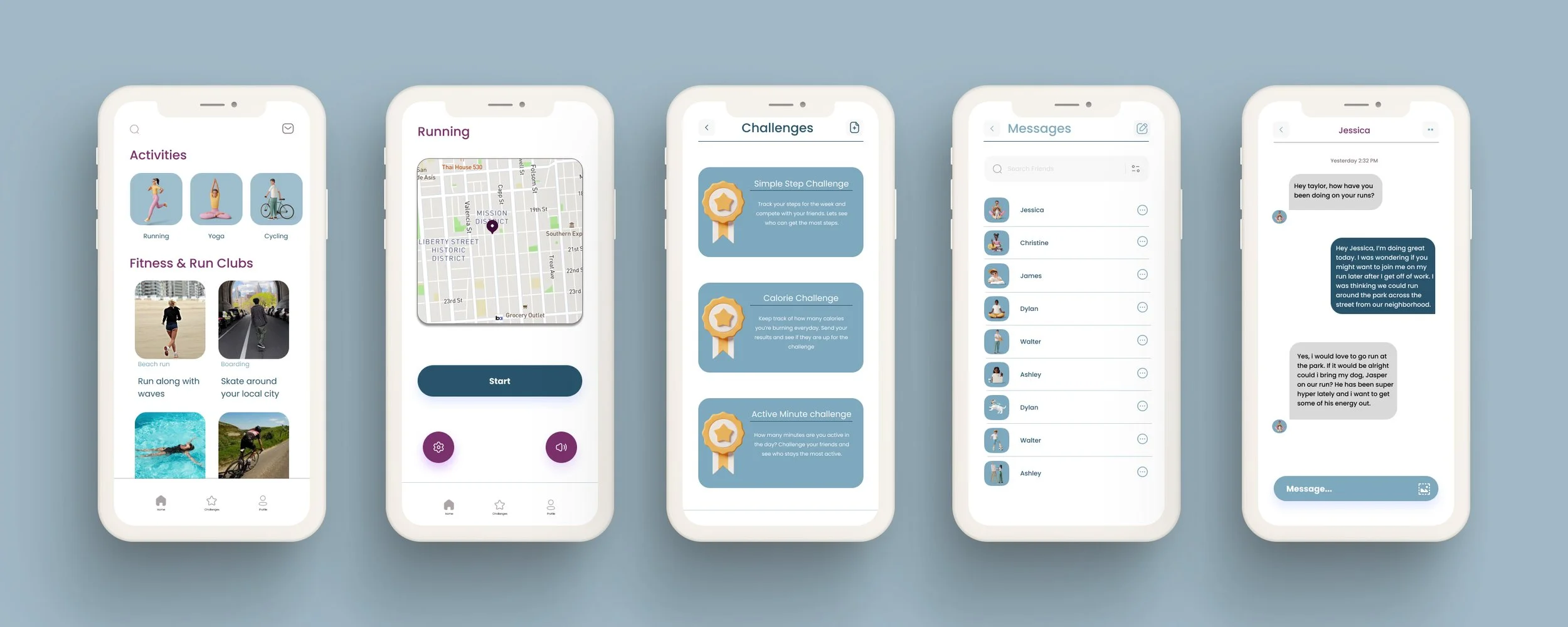
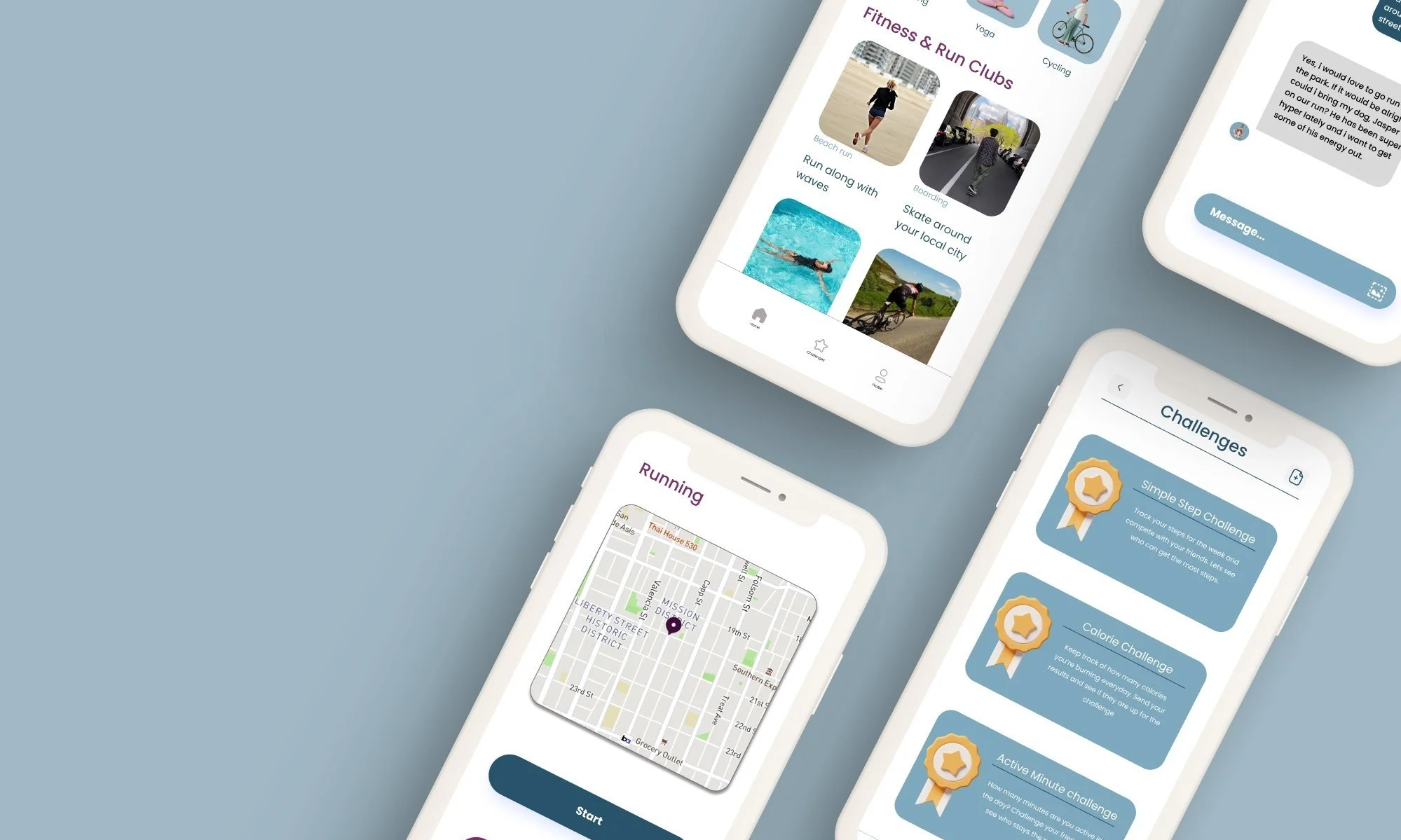
With everything in hand i was finally able to create an application that would allow users to interact with those closest to them through the in app messaging feature. Creating an environment through the app that will keep users motivated to continue using the app to accomplish their goals.